


From CAD drawing
to costed estimate.
A platform that reads DXF drawings, identifies plumbing components and produces a costed bill of materials.
Fixtures, pipes and fittings in the DXF drawing.
Detected components mapped to the client’s article codes.
A costed materials list, exported by plan and floor.
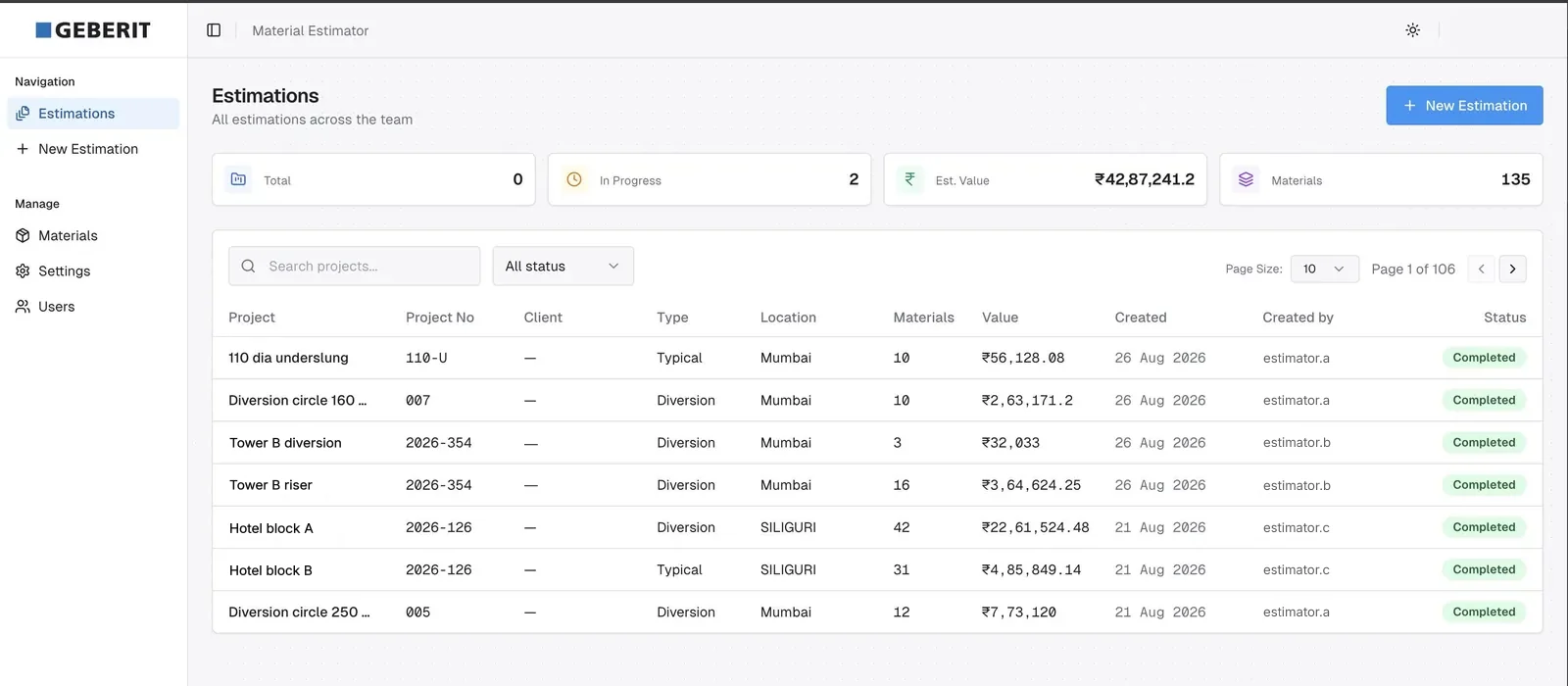
The context.
Plumbing estimates meant reading drawings and counting fixtures, pipes and fittings. Geberit needed a repeatable process across plans and floors, with quantities matched to its own catalogue.
Estimating by hand, drawing by drawing.
Someone had to read each drawing and count what was in it. The work was slow, it did not scale to a project with many plans and floors, and two estimators could reach different answers from the same drawing.
- Reading DXF geometry reliably enough to trust the count
- Mapping what is detected to Geberit article codes
- Applying one set of parameters across every drawing in a project
- Keeping running costs low for a tool used in bursts
Detection, then pricing.
The platform reads the geometry in each uploaded DXF drawing and identifies fixtures, pipes, bends and junctions. Each part is matched to a Geberit article code and priced, and the results are grouped by plan and floor for export to Excel.
Inside the estimation workflow.
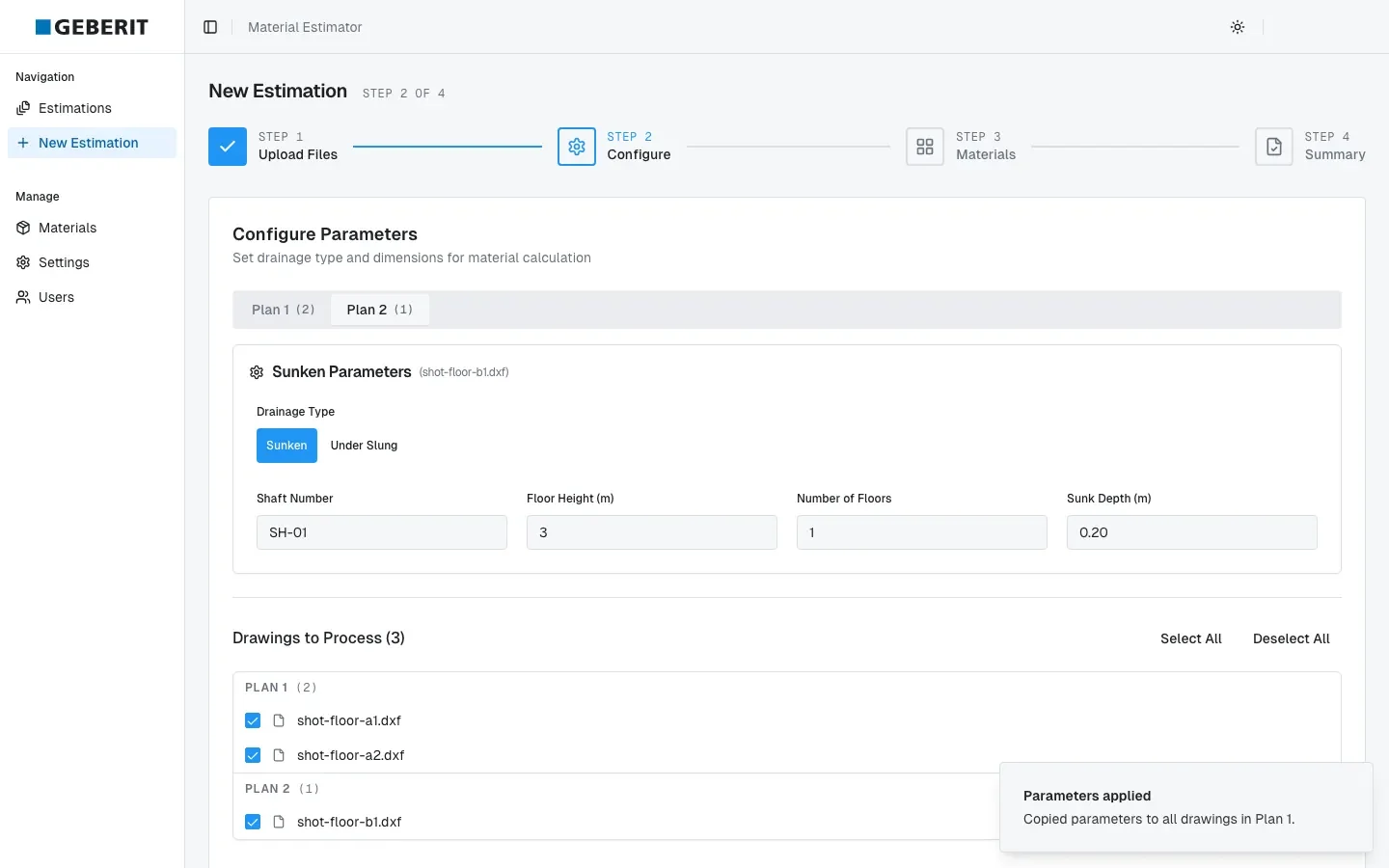
Set parameters across drawings
Estimation parameters are set once and applied to every drawing in the plan.
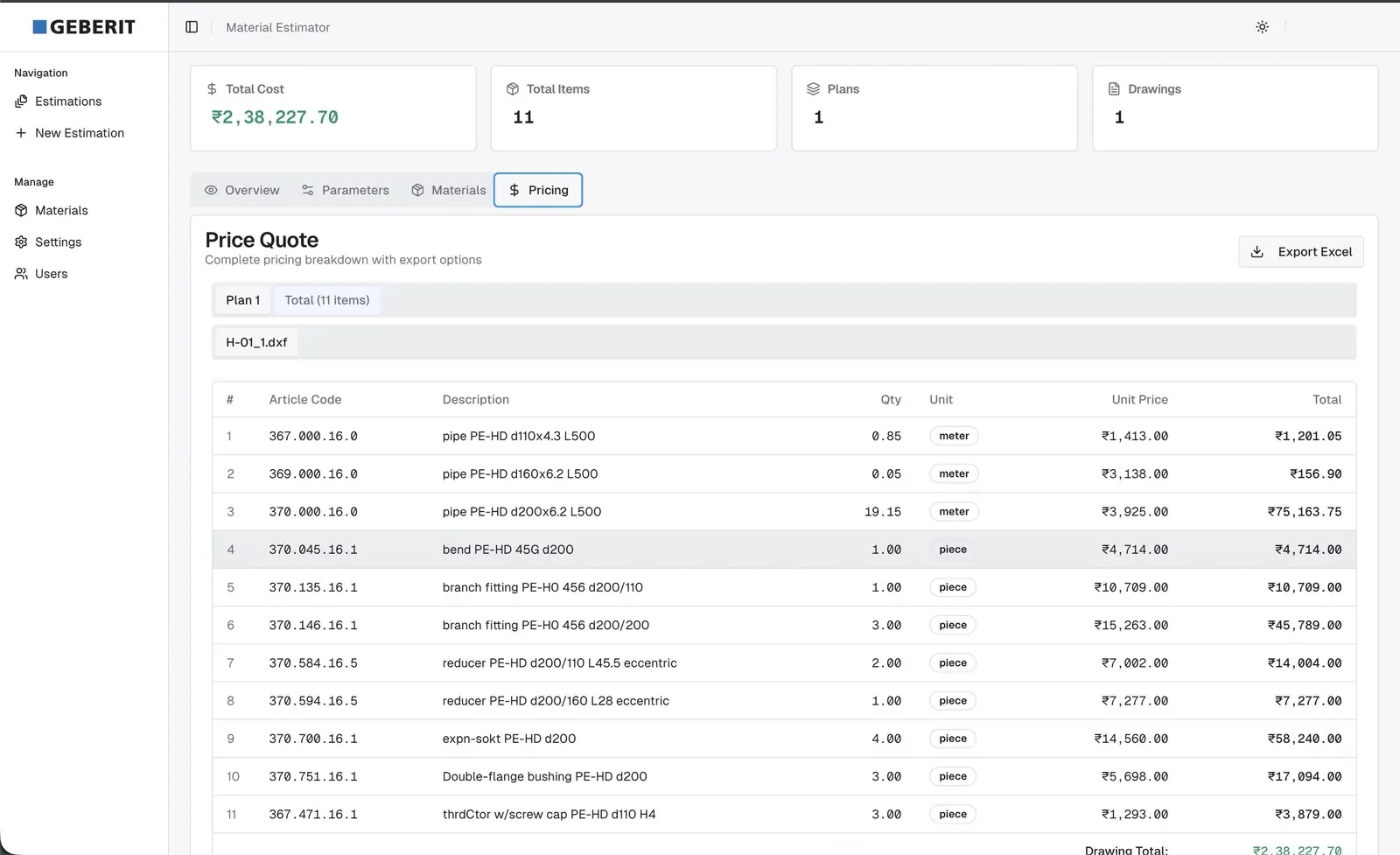
Export a costed materials list
Detected components are matched to catalogue articles and listed with quantities and costs by plan and floor. The quote exports to Excel.
What the platform does.
-
DXF detection engine
Fixtures, pipes, bends and junctions are recognised from the drawing.
-
Article-code matching
Detected parts are mapped to Geberit article codes.
-
Four-step wizard
Upload, configure once, apply across drawings, export.
-
Serverless on AWS
Enterprise sign-in and role-based access on AWS.
How it rolled out.
-
Detection
Read drawing geometry and identify plumbing components.
-
Pricing
Match detected components to article codes and calculate costs.
-
Client test run
Run the workflow on a Geberit project with more than 60 drawings.
What changed.
In a client test run, the platform processed more than 60 drawings and matched 91 Geberit article codes automatically. Figures are from the project collateral.
- CAD drawings in one client test run
- 60+
- Geberit articles matched automatically
- 91
Decisions behind the work.
Detection reads DXF geometry directly and maps it to article codes.
Parameters are shared across a plan, so every drawing is estimated the same way.
Excel output fits the quoting process that follows.
Wysbryx transformed our manual CAD estimation process into a streamlined digital workflow, significantly improving the productivity of our design team. By automating component identification, article mapping and cost estimation across complex drawings, the solution enables our team to process projects faster and with greater consistency. This improved turnaround allows us to generate more quotes and proposals each day, helping us respond to customer opportunities faster and directly supporting our sales efforts.